

The app's own words
Red Moon measures a handful of things about your practice, and it uses six words for them that it means quite precisely. None of them is a standard music term, which is exactly why they are written down: mastery and command tempo in particular are two different questions about the same loop, and mixing them up is the fastest way to make the numbers useless to you.
Everywhere one of these appears in the app it carries a small ⓘ

next to its label. Tap it and the definition appears in a popover. The definitions below are those same popovers, word for word — if the two ever differ, the app is right and this page is stale.
For scales, modes, intervals, chord names and the rest of the musical vocabulary, go to Toolkit ▸ Glossary, which is where all of that is defined and searchable. This page covers only the words Red Moon coined for its own practice model.
See Help & FAQs: "What's the difference between mastery and command tempo?"
Mastery
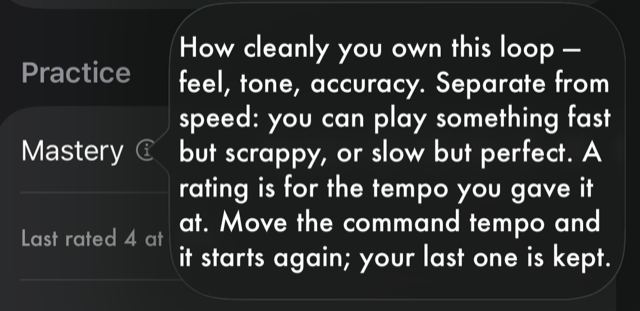
How cleanly you own this loop — feel, tone, accuracy. Separate from speed: you can play something fast but scrappy, or slow but perfect. A rating is for the tempo you gave it at. Move the command tempo and it starts again; your last one is kept.
Where you set it. Open a song, hold a loop in the Loops panel to open its edit sheet, and set Mastery there. It is a rating out of five and it is yours to set — nothing in Red Moon listens to you play or assigns it for you.
An untouched loop shows no rating at all rather than a zero. That is deliberate: a loop you have never assessed and a loop you have assessed as poor are different things, and only one of them should look like a problem.
A rating belongs to a tempo. Under the rating you will see a line like Rated at 85% — on an exercise, Rated at 90 BPM · 8ths. When you move the command tempo — raising it after a run, settling it lower, or changing it in the edit sheet — the dots go back to unrated, and the line under them becomes Last rated 5 at 85%. Your old rating is kept, not erased: it describes a speed you have since left.
That is the cycle the two numbers are for. Rate a loop until it is a 5, raise the command tempo, and rate it again at the new speed. A drill you have just raised comes back round in your sessions, because a tempo nobody has rated yet is exactly the one worth working on.
Command tempo
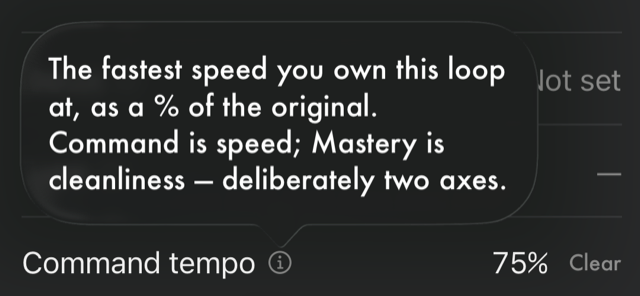
The fastest speed you own this loop at, as a % of the original. Command is speed; Mastery is cleanliness — deliberately two axes.
Where you set it. The same loop edit sheet, under Command tempo. It is expressed as a percentage of the song's original speed, so 100% means you have it at the tempo the record is at.
Because the two axes are independent, a loop can sit at a high command tempo and a low mastery — you can get through it at full speed, but it is scrappy. That combination is a useful thing to be able to see, and it is the reason the app refuses to average them into a single score.
Focus
Your intent right now, not how well you play it. Backburner (parked) · Active (in rotation) · Sharpening (pushing it / gig prep).
Where you set it. The loop edit sheet again, under Focus — and on several loops at once from the bulk edit sheet, which you reach by holding a panel header to start selecting and then choosing more than one loop.
Focus is the field that answers "what am I working on this month", so it is the one worth revisiting when your practice changes direction. Mastery and command tempo describe where you are; focus describes where you are pointing.
Type
What kind of loop: Lick (melodic) · Riff (melody + rhythm) · Chords (rhythmic) · Passage (a longer span covering several).
Where you set it. The loop edit sheet, under Type, and in the bulk edit sheet.
Type is descriptive, not functional — nothing in the app behaves differently because a loop is a riff rather than a lick. It exists so that a library of eighty loops can still be sorted into things you recognise.
Mastery, on a song
Averaged from this song's loops, each at its current tempo — rate individual loops to set it. “Unrated” until at least one loop has a mastery. Beside it is your slowest loop's tempo: the song only goes as fast as that.
Where you find it. Hold a song's title in the player, or open the song's details from the library, and Mastery appears among its details. You cannot set it directly — it is derived, and the way to move it is to rate the loops underneath it.
It counts each loop at the tempo it is at now. A loop you have just raised has no rating yet, so it drops out of the average until you rate it again — the details say how many loops the dots stand for, as in 2 of 3 loops rated. The speed sits beside it rather than inside it: under the dots in the player's title strip, slowest 60%, or full speed once every loop you have measured is at the record's own tempo. Song details name the loop that sets it, under Slowest loop. Mastery and speed stay two separate facts here too; the app never folds one into the other.
Your command tempo, on an exercise
The fastest you can play it cleanly and repeatably right now. The warm-up floor and the reach derive from it — tune them when you run the drill. Command is speed, separate from how cleanly you own it.
Where you set it. When you configure an exercise, under the Your command tempo heading. This is the exercise-side twin of a loop's command tempo, and it does more work: the drill's starting tempo and the tempo it reaches for are both derived from the number you put here.
What Red Moon does not measure
There is no score, no grade and no assessment of your playing anywhere in the app — by design, and permanently. Mastery is a number you choose, not a number you are given.
See Help & FAQs: "Does Red Moon score my playing?"
All manual pages. Something not covered here? Get in touch — we read every message.